Merge CogMAP V2 Scores
This feature is for SA, ML, MA
Watch (about 50 s):
Use this when a student's assessment was split over two or more sessions, to combine the scores into one round.
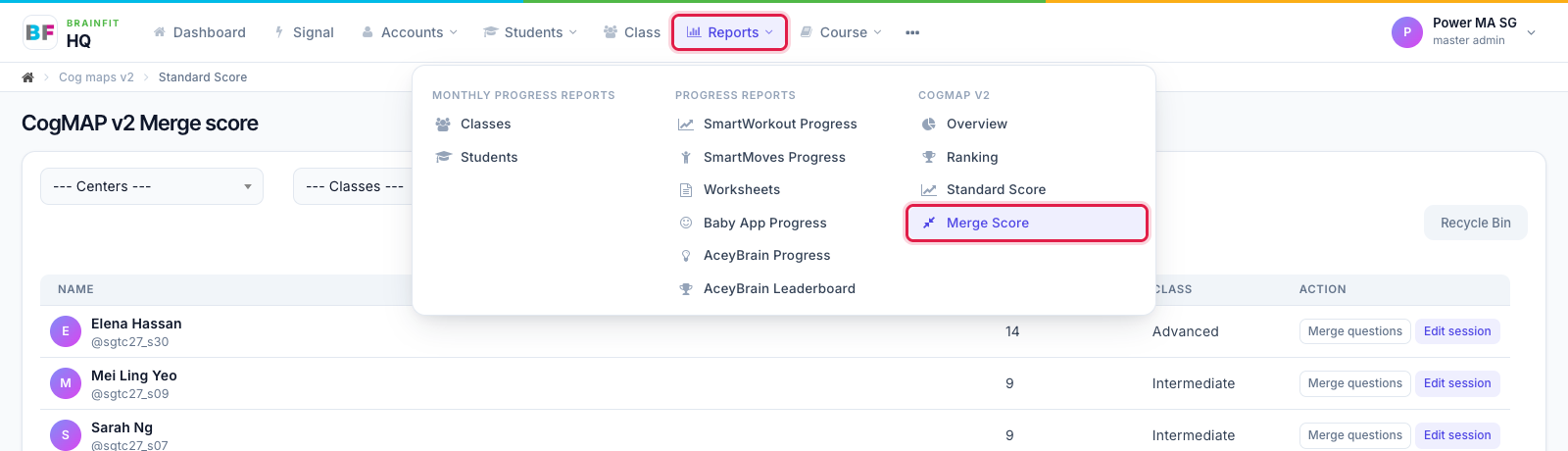
- Open Reports and click Merge Score under CogMAP V2.
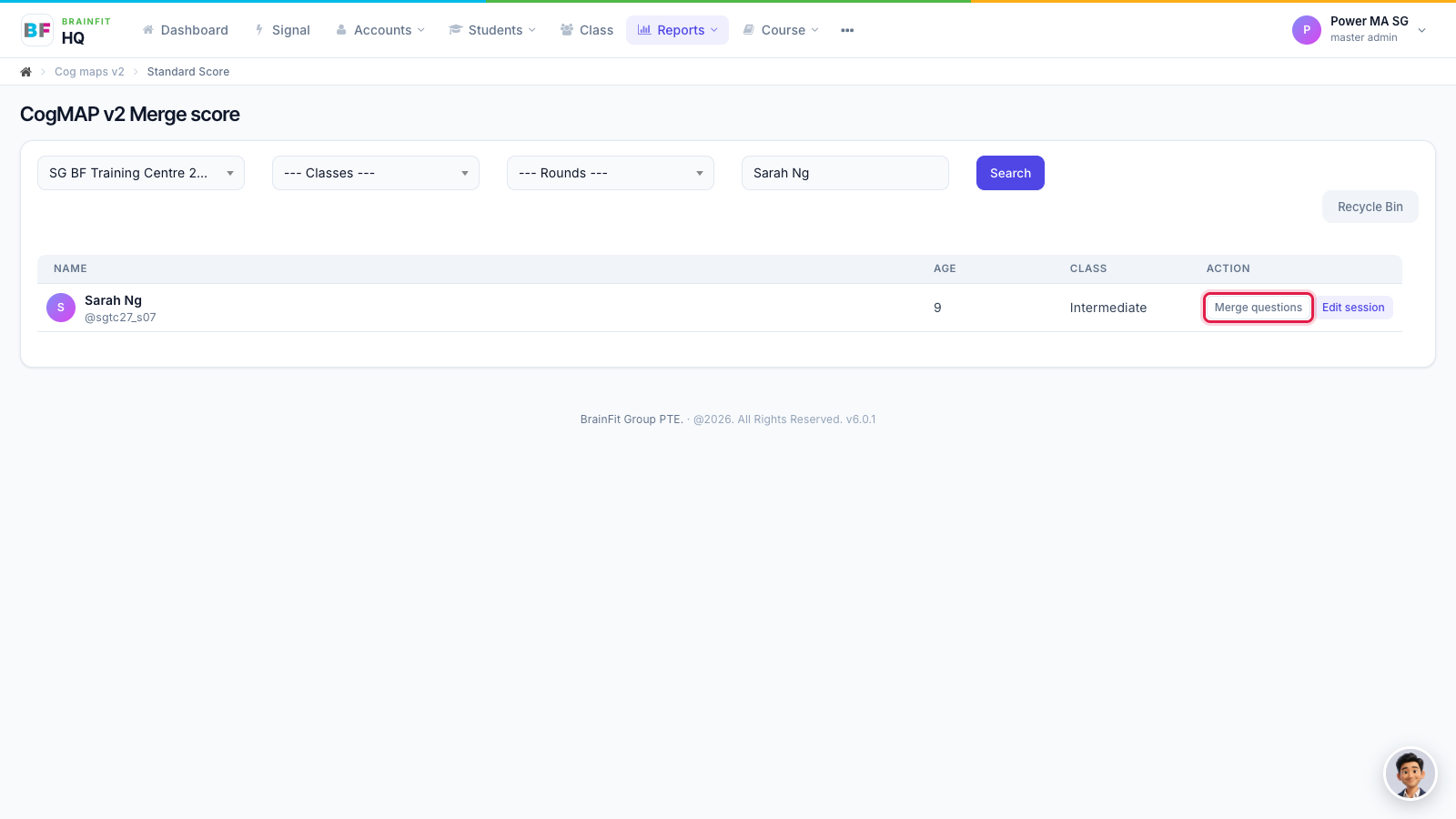
- Search for the student and click Merge questions on their row.
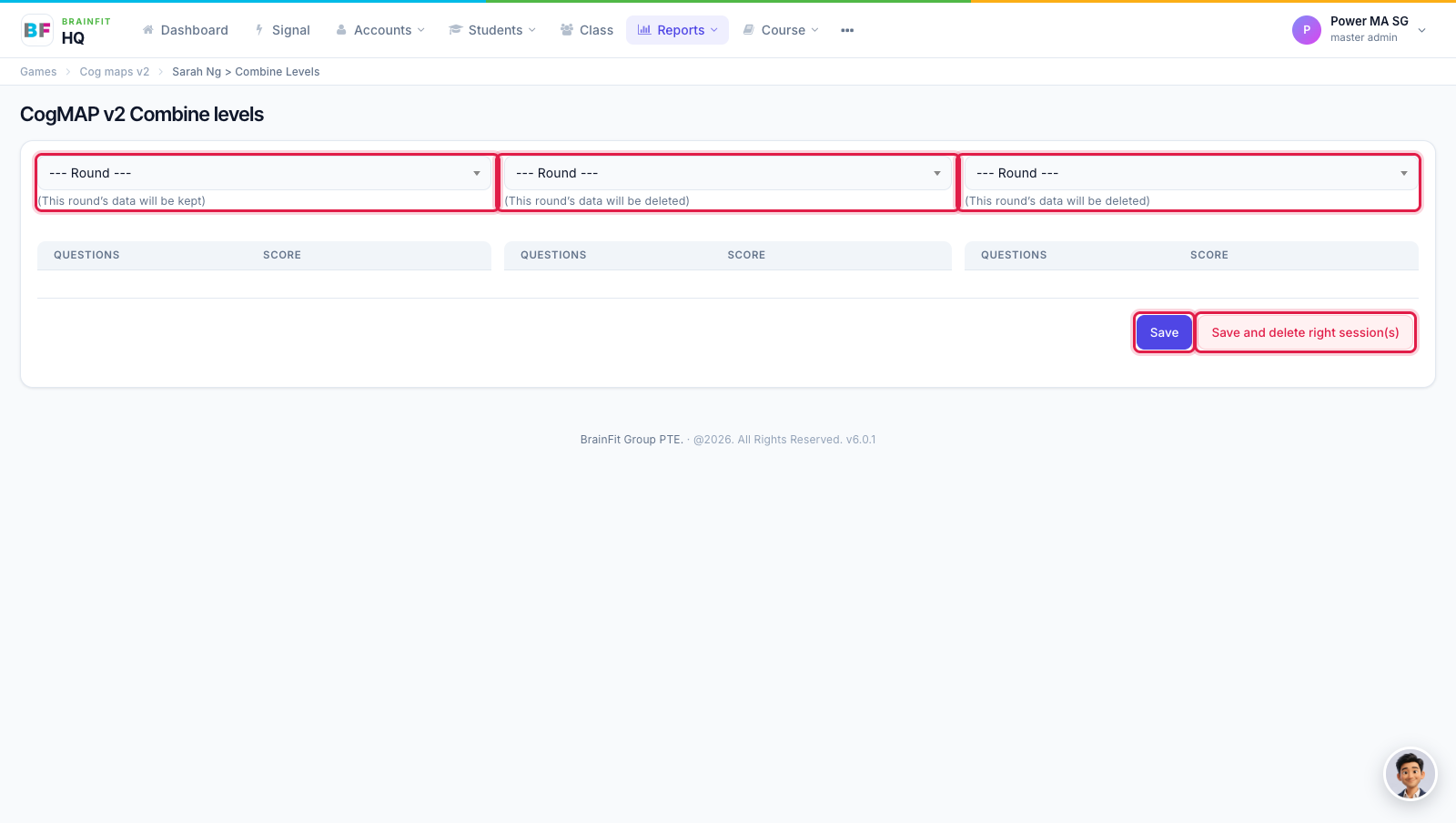
- In the first column, choose the round to keep. In the next column(s), choose the round(s) with the replacement scores. Tick the questions whose score you want to bring across.
- Save merges the scores and keeps the other session(s).
- Save and delete right session(s) merges and then deletes the session(s) in the right-hand columns.
caution
Deleted sessions can't be brought back. Check the rounds before you click Save and delete right session(s).