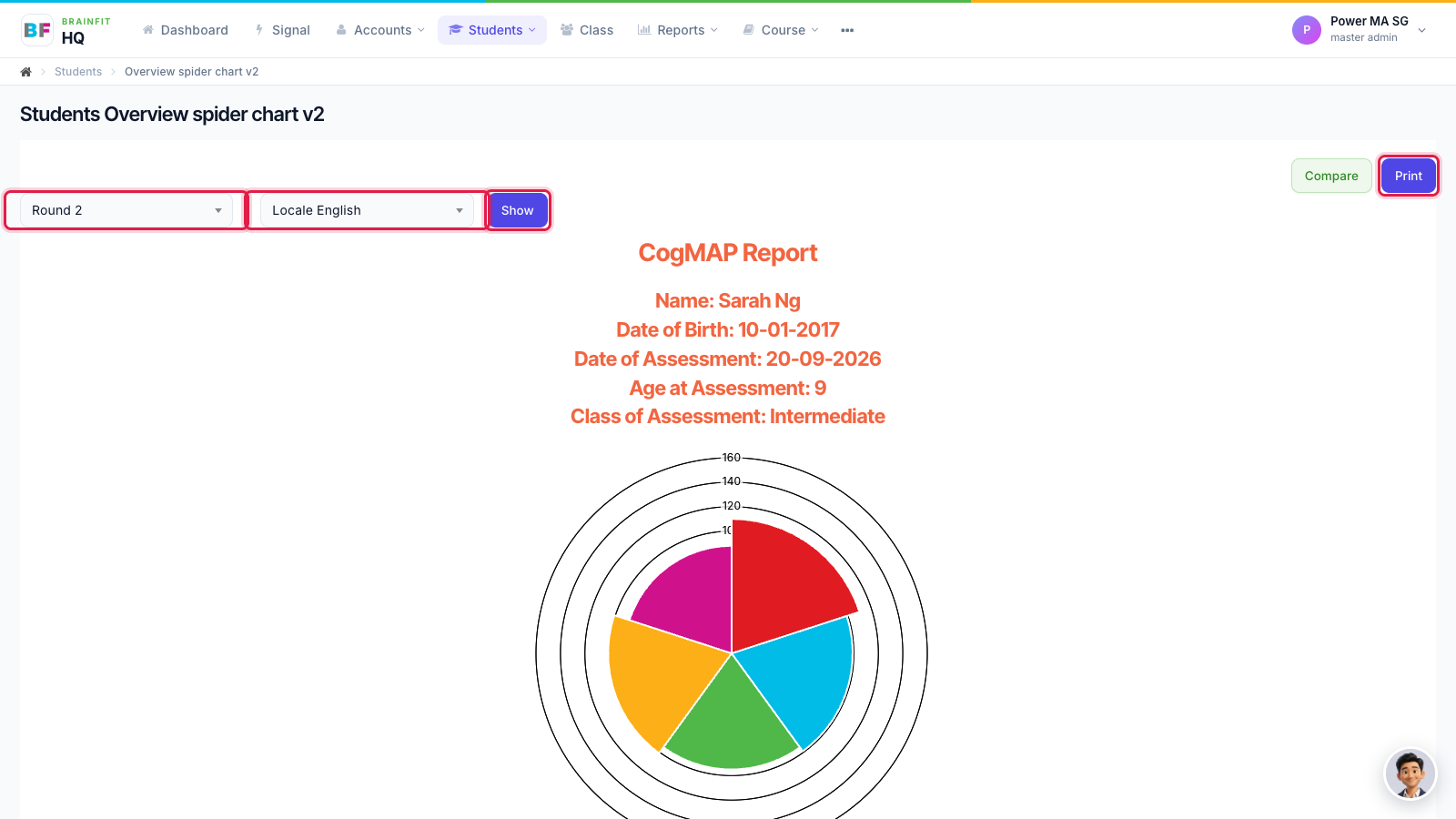
Find and Print a CogMAP V2 Report
This feature is for SA, ML, MA, CA, Trainer
Watch (about 40 s):
Use Standard Score to find any student's CogMAP V2 results, including students you don't have open.
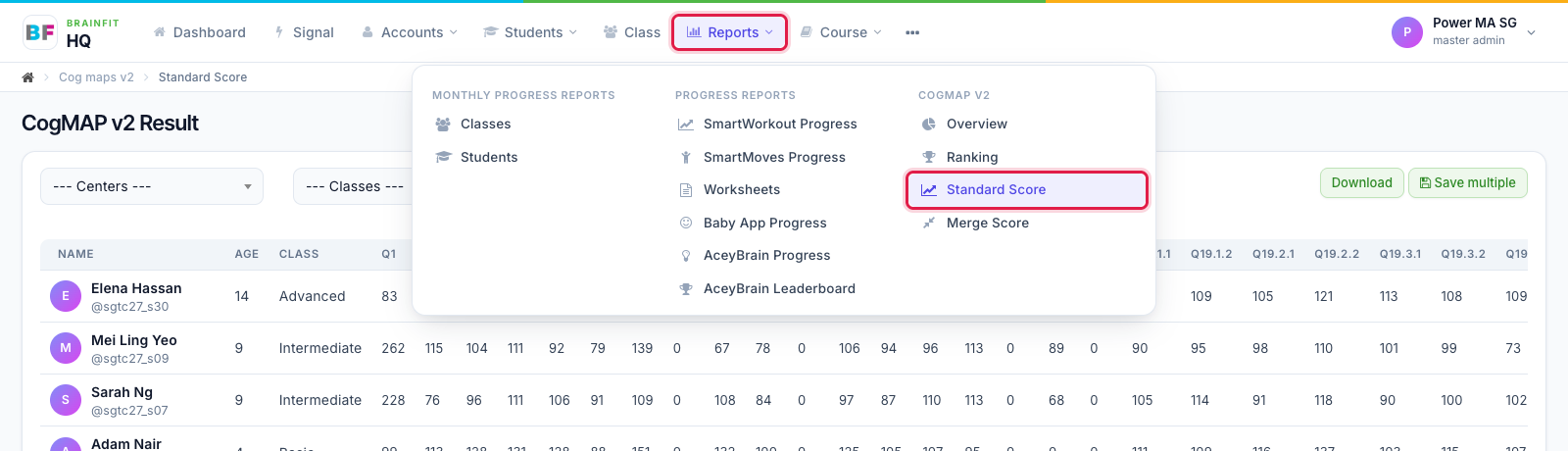
- Open Reports in the top menu and click Standard Score under CogMAP V2.
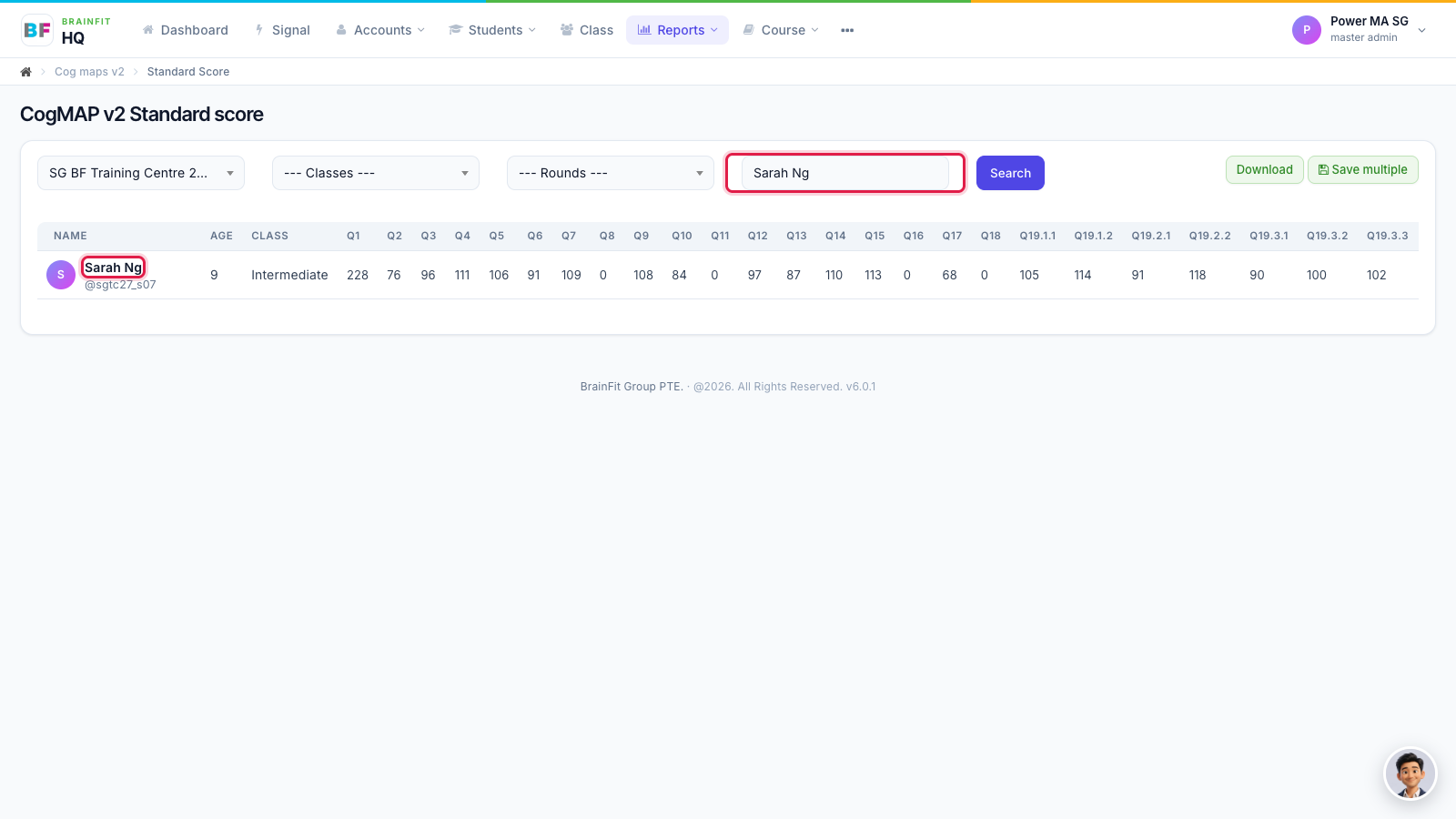
- Choose the centre (and class or round if you like), type the student's name and click Search. The table shows each question's score. Click the student's name to open their report.
- Choose the Round and the report language, click Show, then Print. In the print window, choose Save as PDF to keep a copy.