Assign CogMAP V2 Levels and Questions to a Student
This feature is for SA, ML, MA, CA
Watch (about 40 s):
Use this when one student needs a different CogMAP V2 setup from the rest of the class. For the full steps (preset, questions, Activate), see Student CogMAP Setup and Activation.
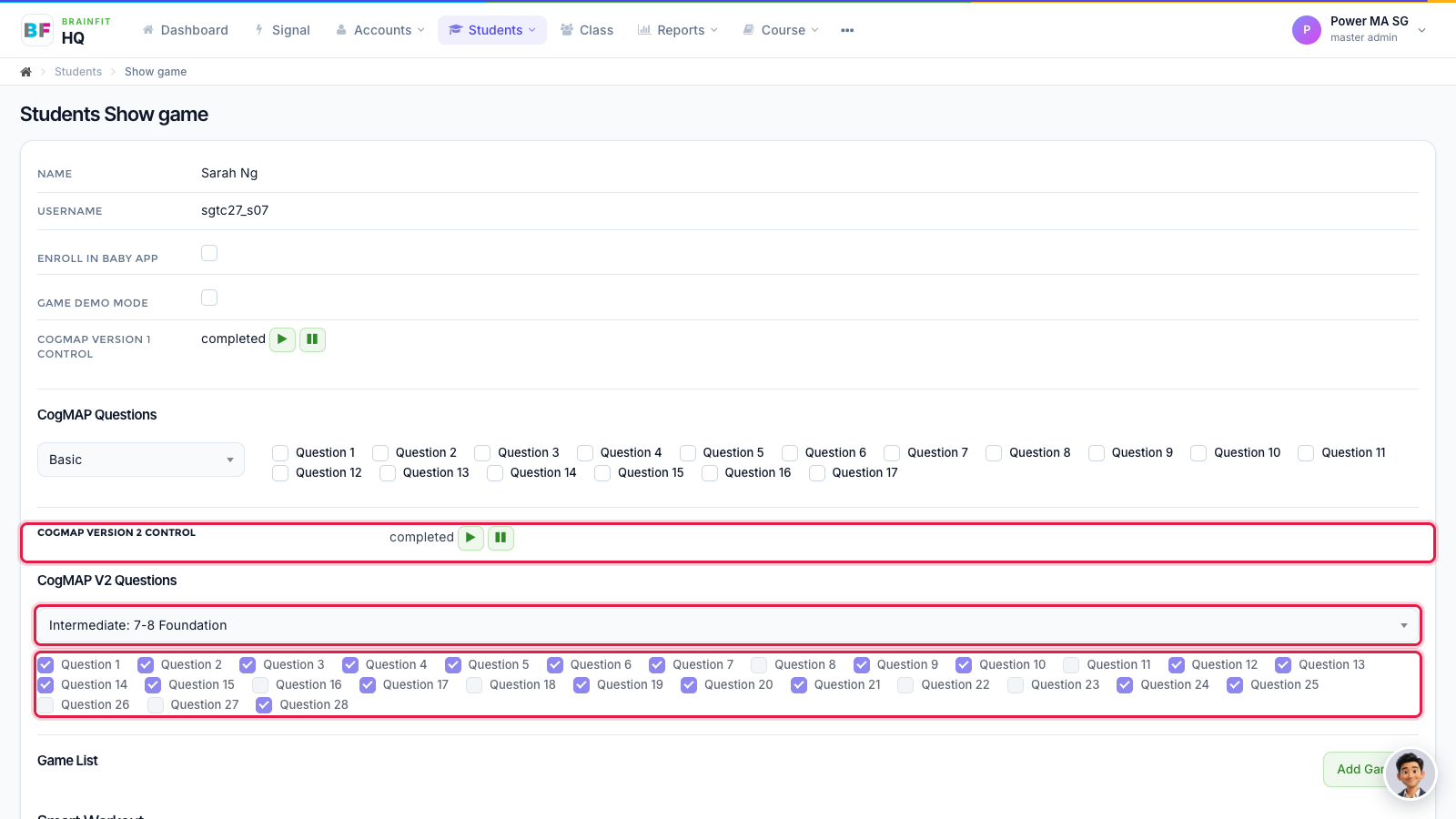
- Open the student's Game config page: in Students, click the gamepad icon on the student (see Assign Games to a Student). The CogMAP V2 Questions box holds the student's preset, and the ticks below show the questions in use. CogMAP Version 2 Control shows the student's status (Not active / Active) and starts (Activate) or stops (Stop) their CogMAP.
Note: a student uses only their own setup. Nothing is taken from the class or the centre, and a student with no preset or no question cannot be activated. To set up a whole class at once, see Start CogMAP for a Class or a Centre.