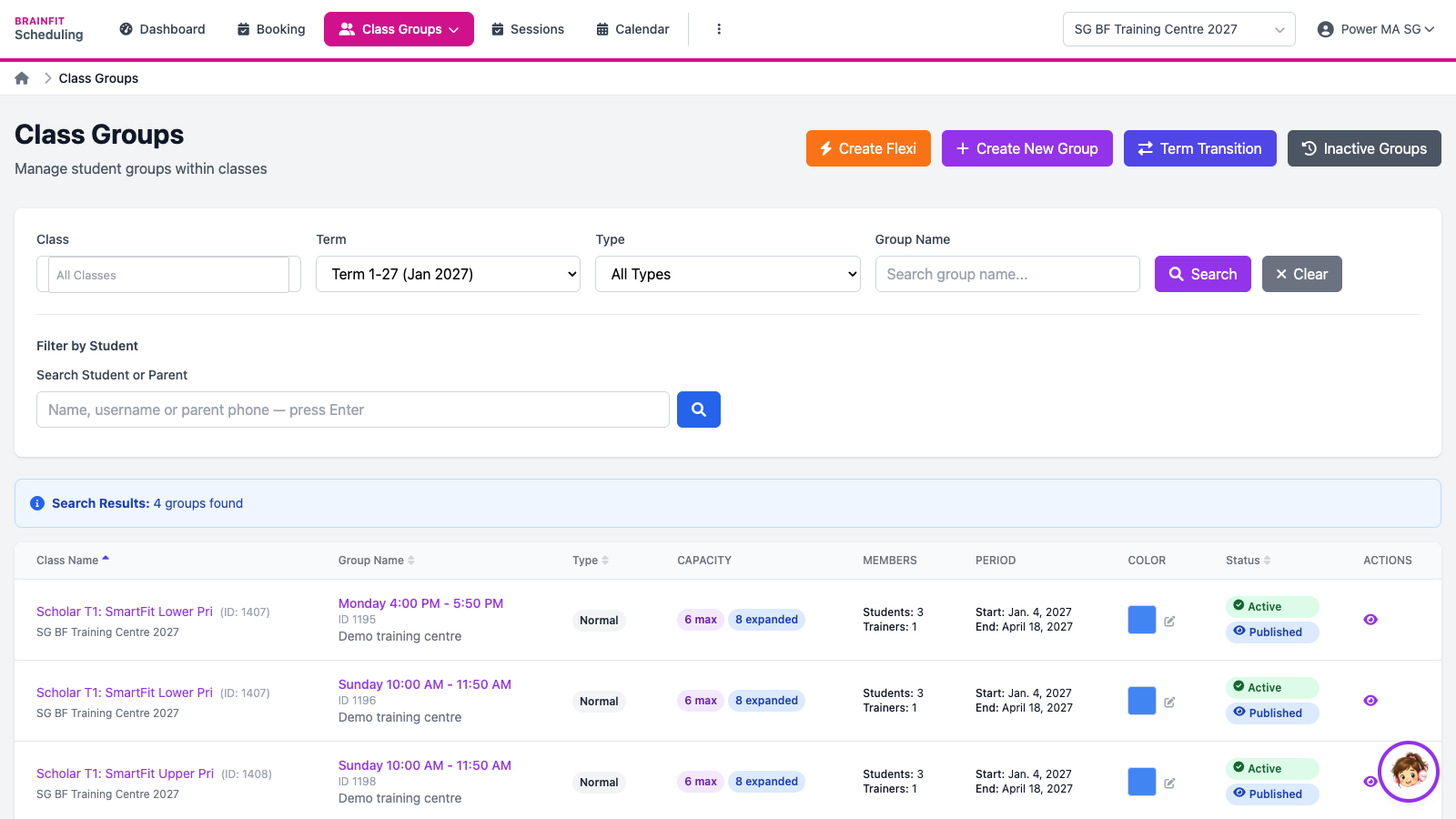
Create a Class Group
This feature is for SA, ML, MA, CA
Watch (about 1 min):
A class group is one weekly slot of a class (for example Monday 4:00 PM - 5:50 PM) for one term. A class can have several groups.
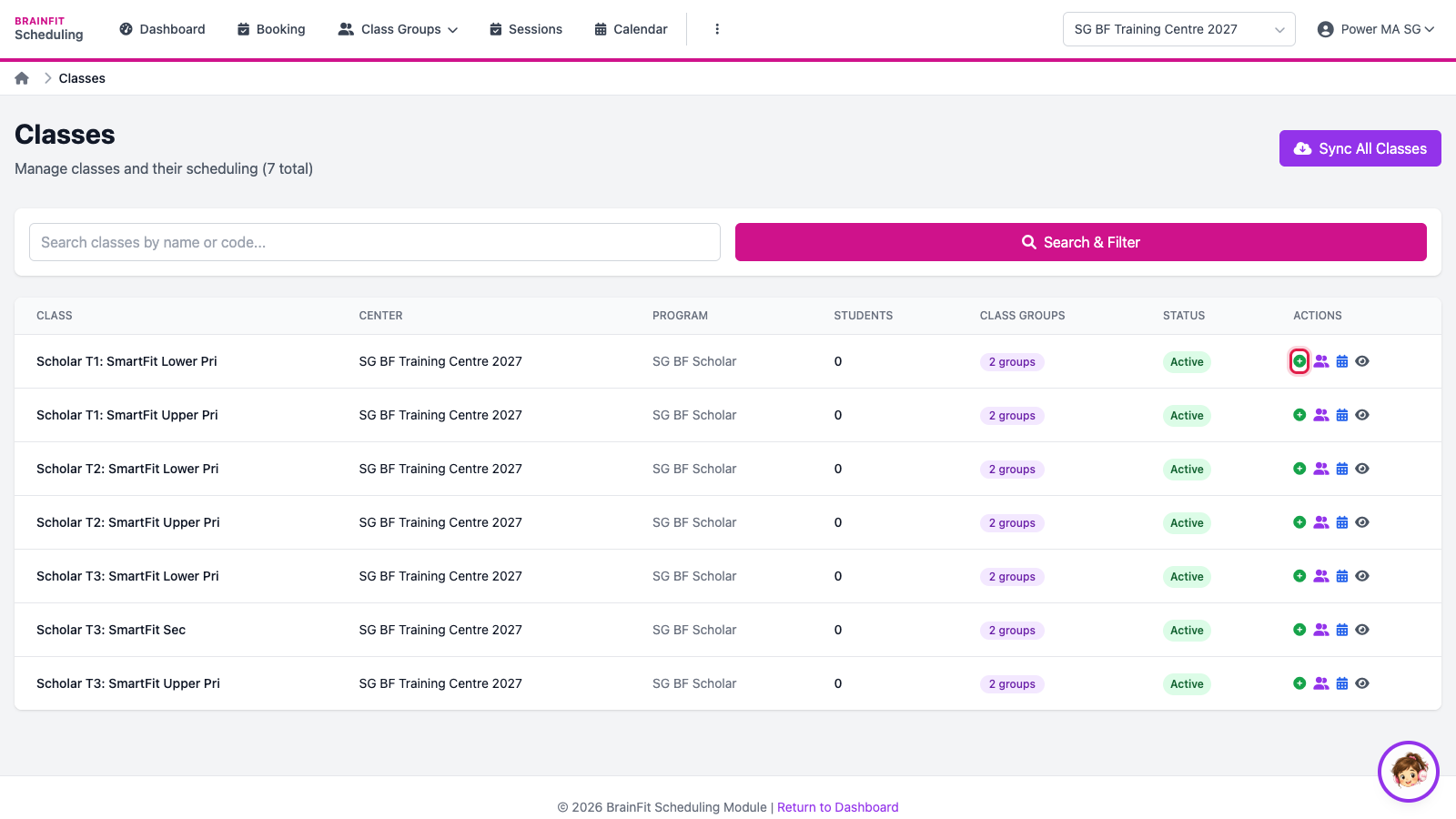
- Open ⋮ → Classes and click the + (create group) icon on the class's row.
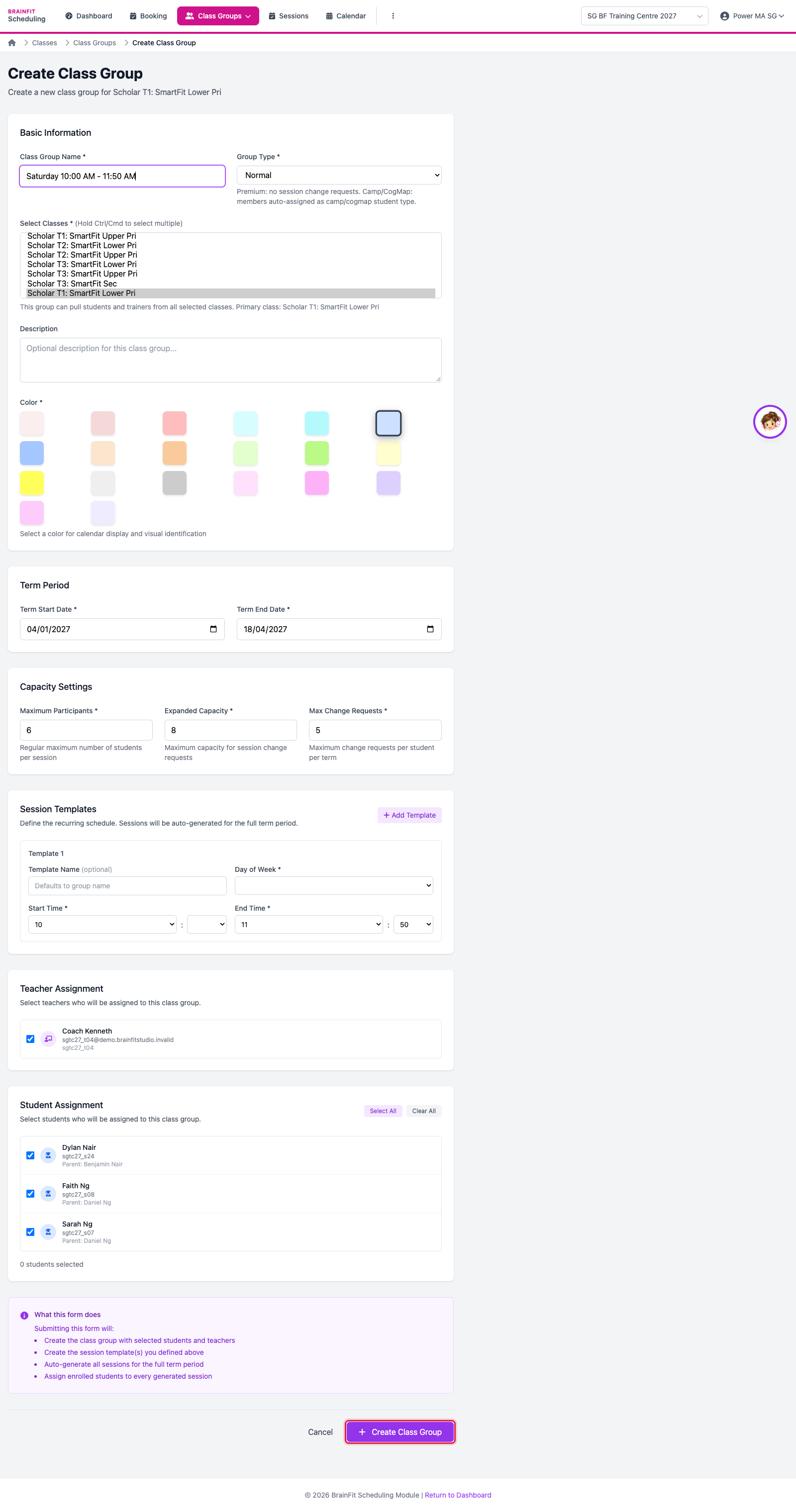
- Fill in the form, then click Create Class Group:
- Class Group Name (usually the day and time) and Group Type (Normal for regular classes).
- Term Start / End Date.
- Maximum Participants, Expanded Capacity (extra seats for change requests) and Max Change Requests per student per term.
- Session Templates: the day and start/end time; sessions are created every week of the term, skipping the holiday template's dates.
- The teachers and students of the group.
- The group appears in Class Groups (pick the term in the filter), with its capacity, members, period and status. Click the eye to open it.