Edit a Student
This feature is for SA, ML, MA, CA
Watch (about 1 min):
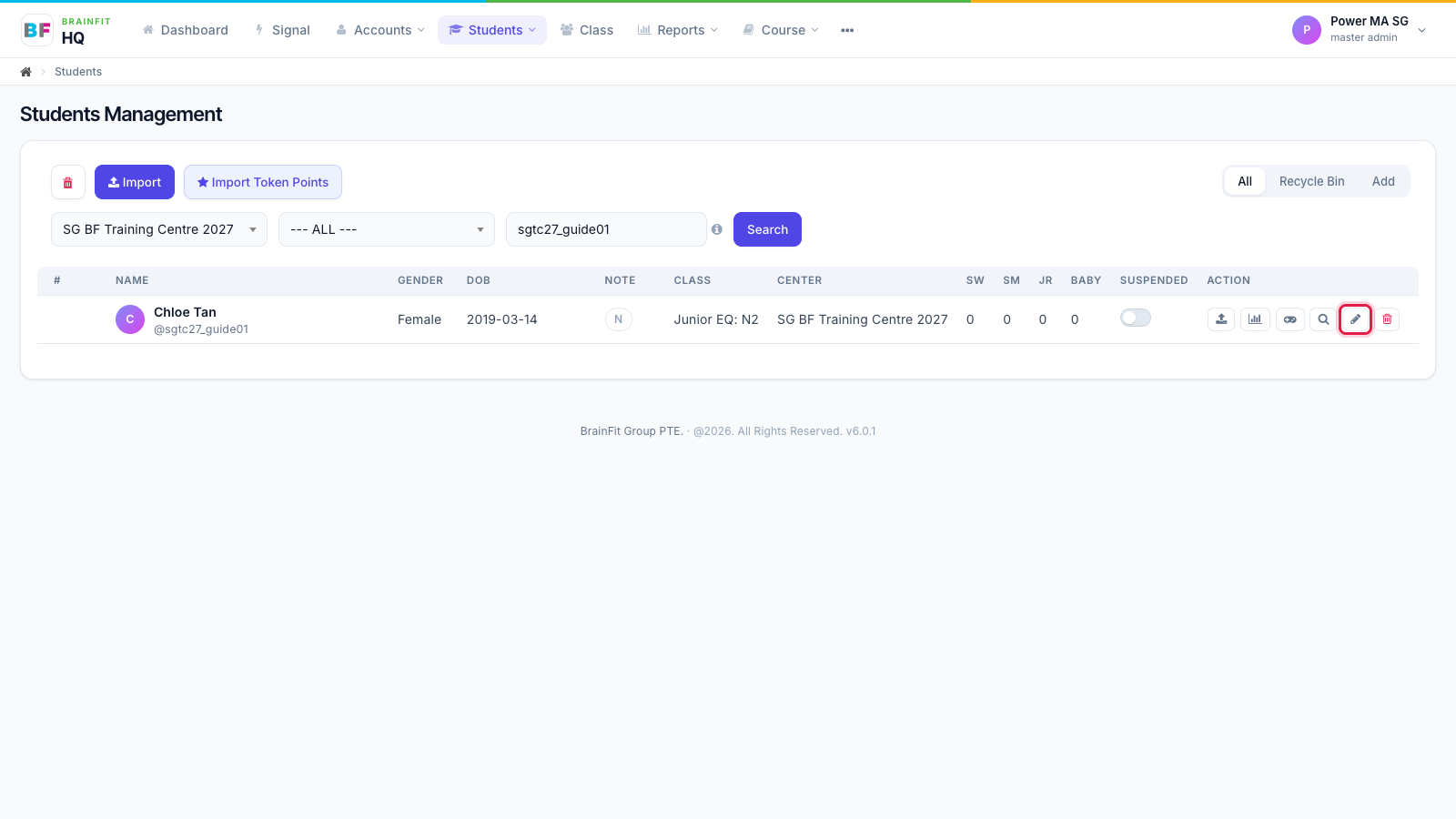
- In Students, find the student (search by name or username), then click the pencil icon in the Action column.
- Change what you need (parent, class, name, email, date of birth, gender) and click Save. Leave Password empty to keep the current password.
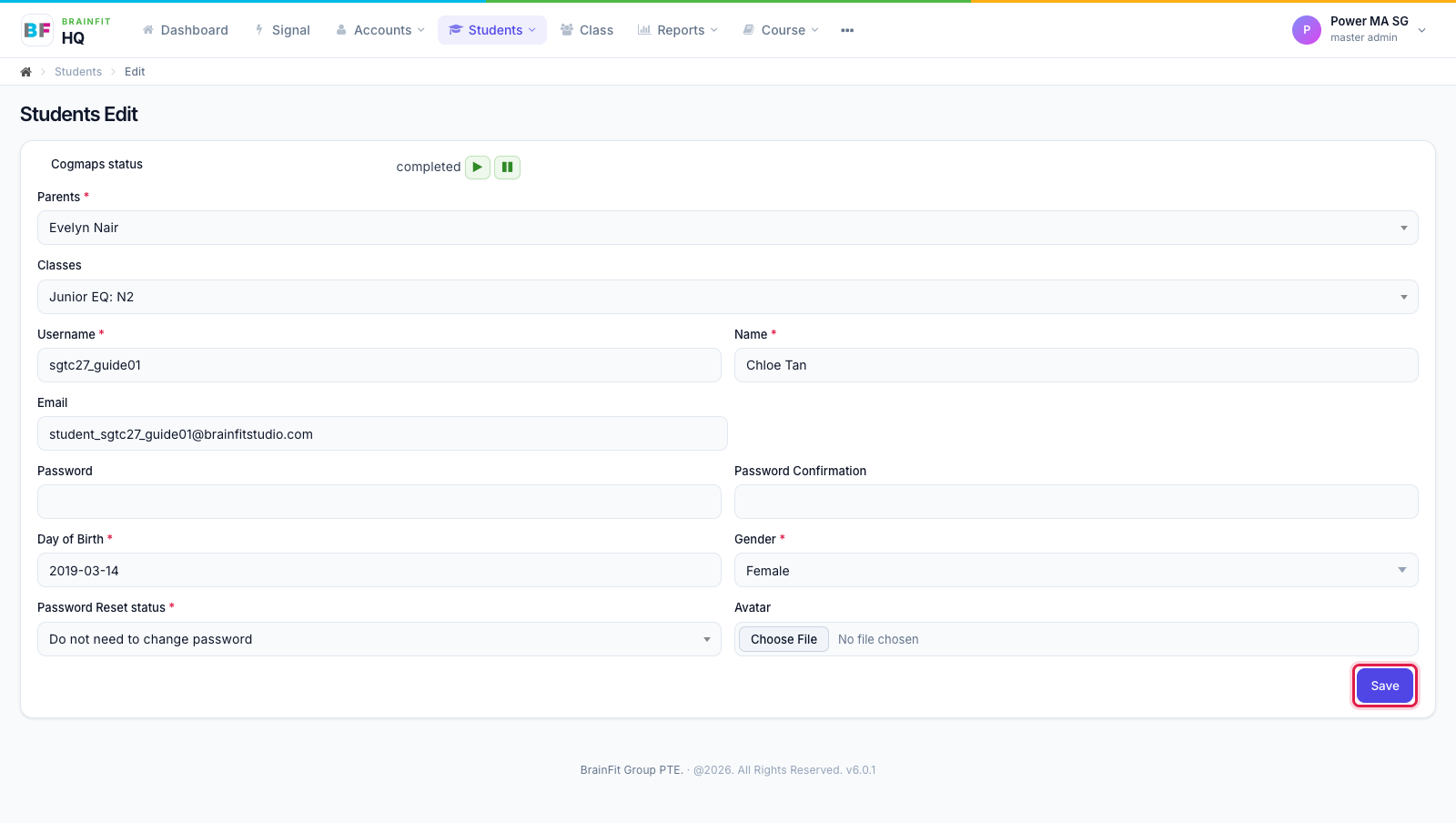
Note: moving a student to another class here changes which class games they get. Their progress so far is kept.