Management Master User Account
Creating a Master User Account
This feature is for SA, ML
- Navigate to BrainFit ACP.
- Click Accounts in the navigation menu.
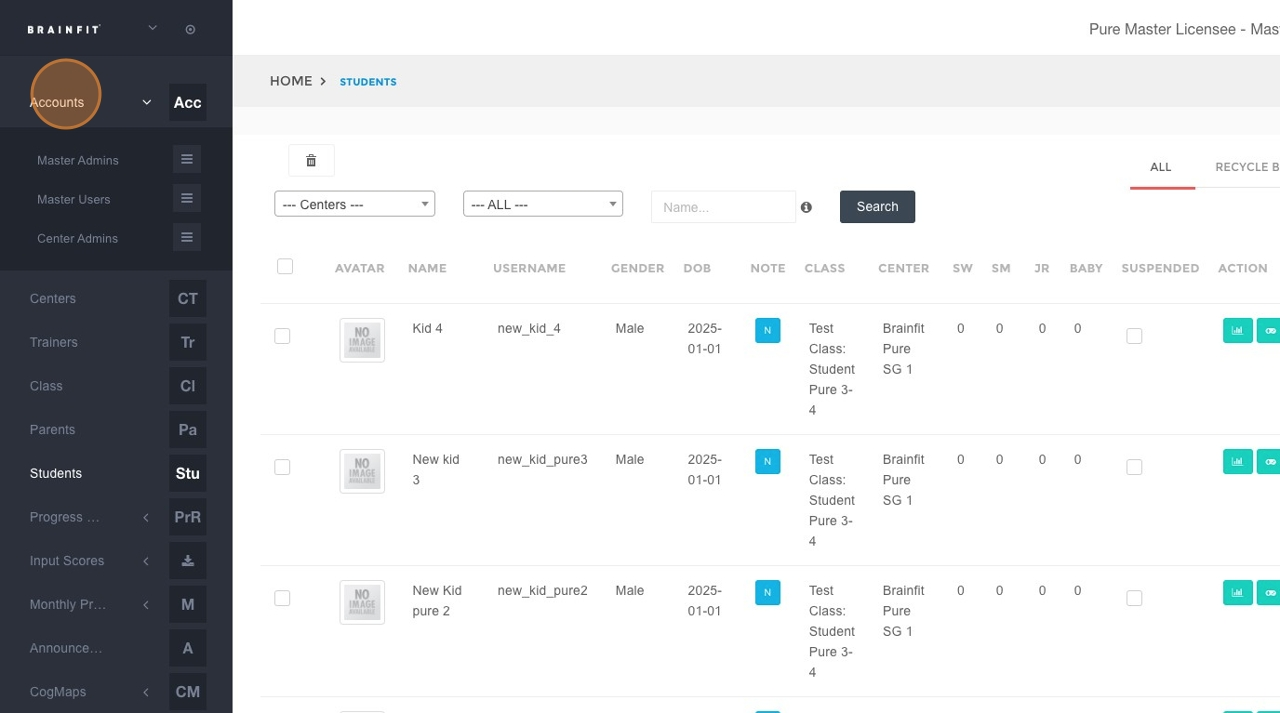
- Click Master User in the submenu.
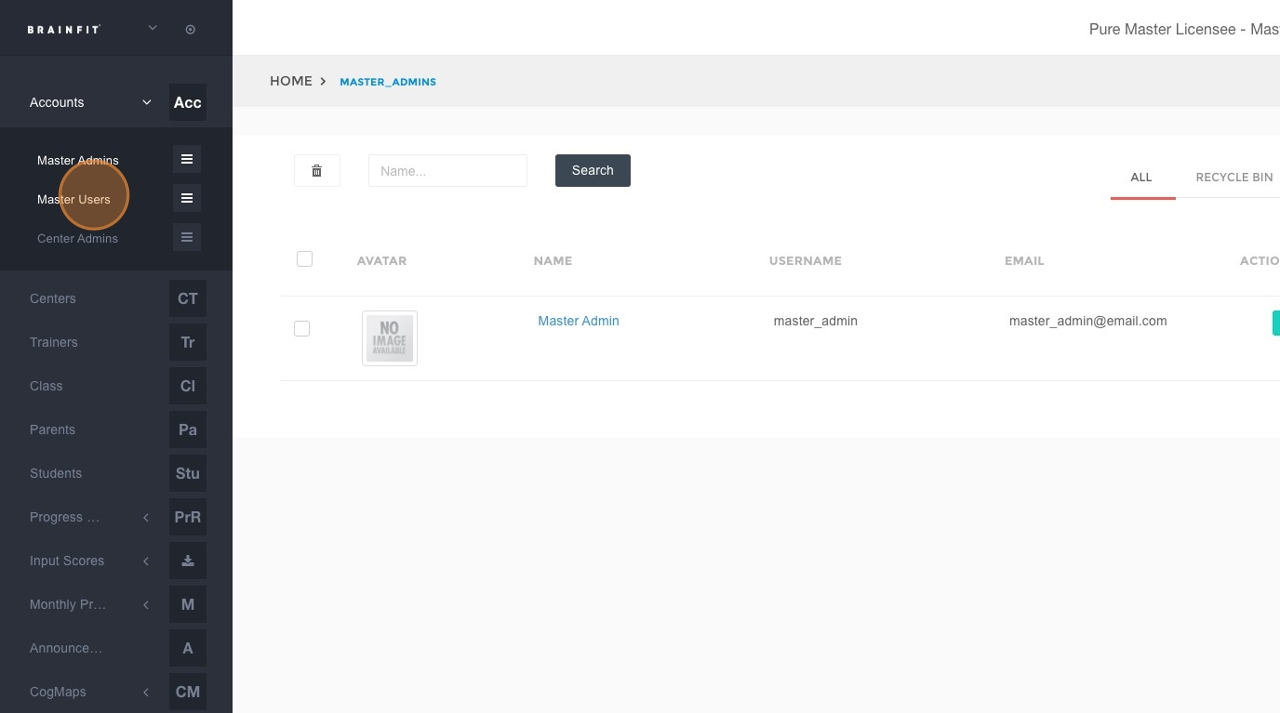
- Click the Add button.
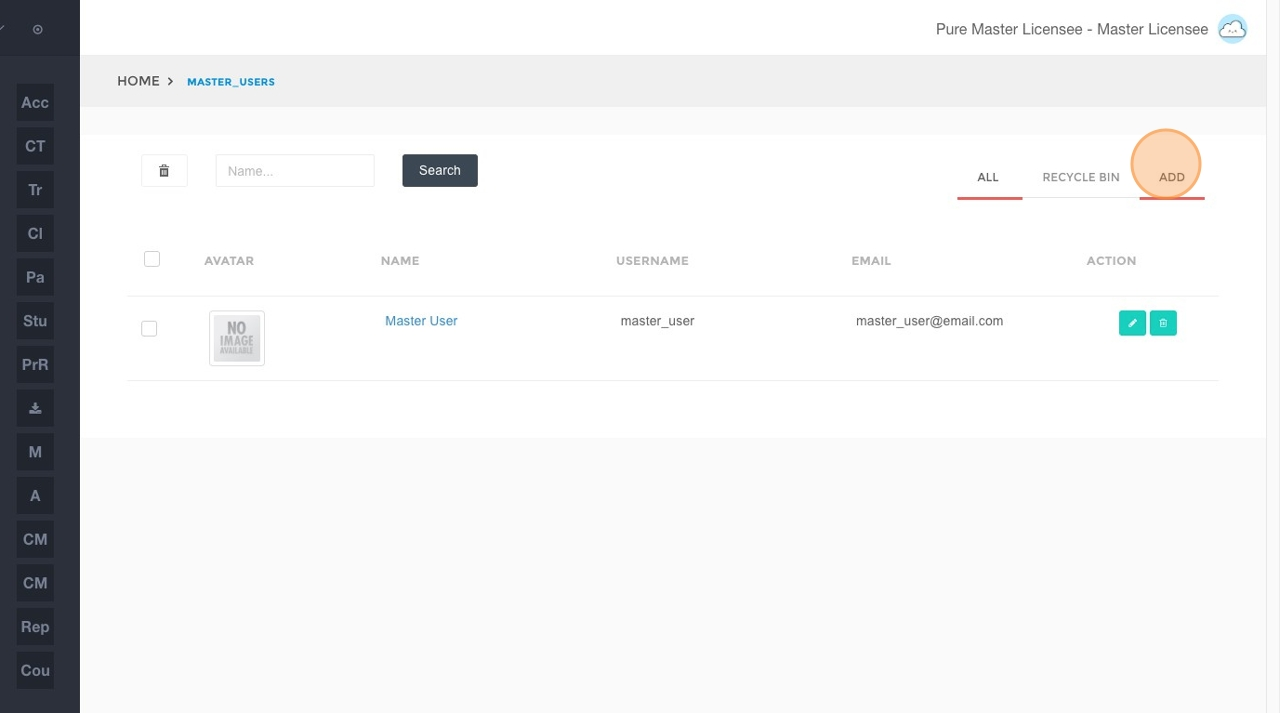
- Fill in the following fields:
- Username
- Name
- Password
- Password Confirmation
- Avatar (optional)
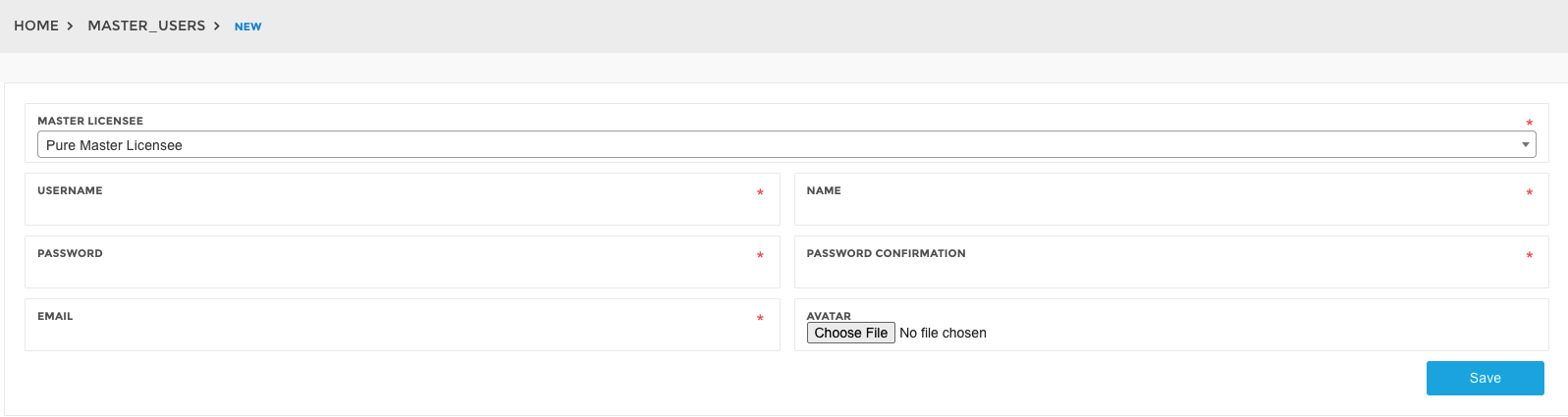
- Click the Save button.
Editing a Master User Account
- Navigate to BrainFit ACP.
- Click Accounts in the navigation menu.
- Click Master User in the submenu.
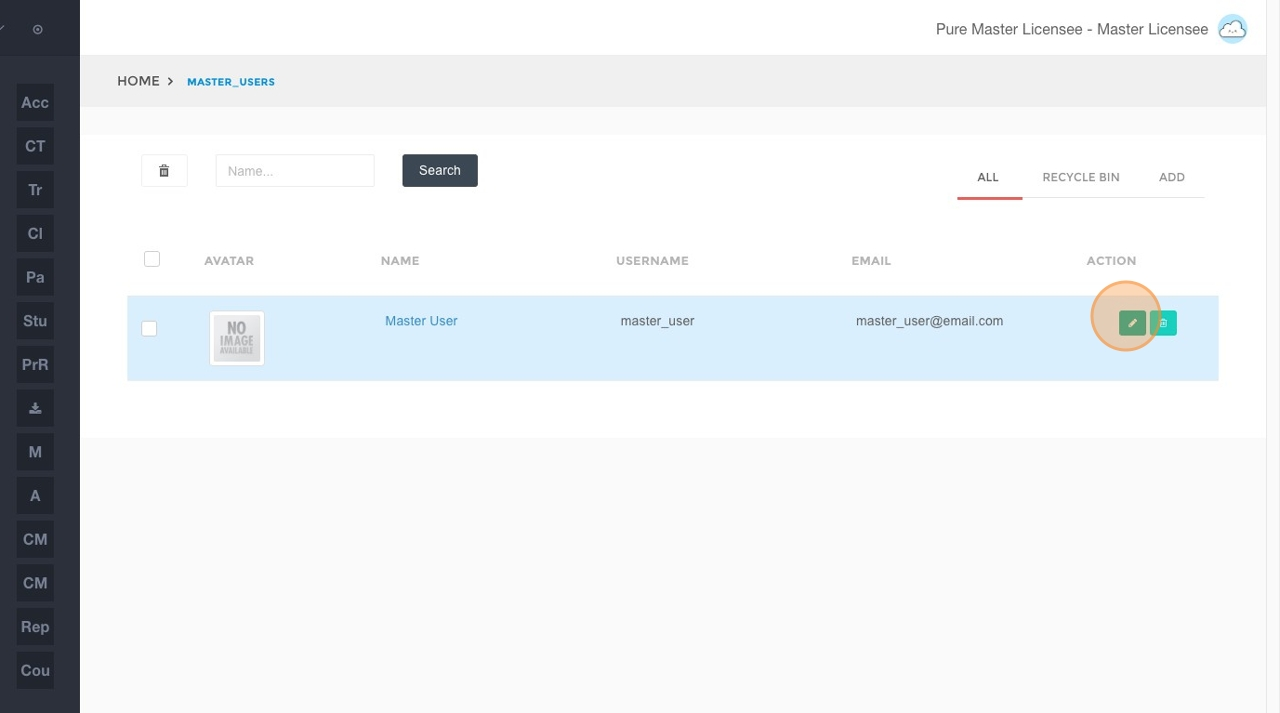
- Click the Edit icon for the desired Master Admin account.
- Modify the content in the following fields as needed:
- Username
- Name
- Password
- Password Confirmation
- Avatar (optional)
- Click the Save button to apply your changes.
Deleting a Master User Account
- Navigate to BrainFit ACP.
- Click Accounts in the navigation menu.
- Click Master User in the submenu.
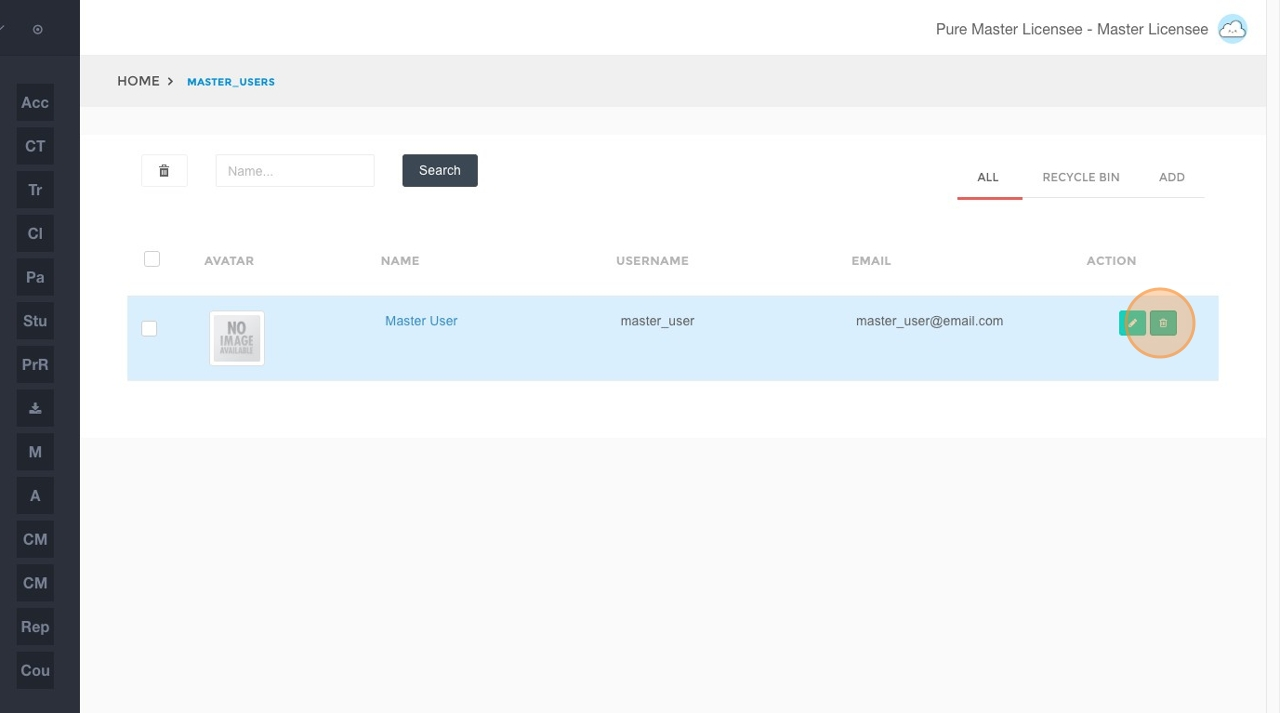
- Click the Delete icon for the Master User account you wish to remove.
- Confirm the deletion by clicking OK in the confirmation dialog.